Safety
Safety records that connect to the rest of the operation.
Inspections, defects, incidents and corrective actions are kept alongside the drivers and equipment they involve. Expiring licences and medical certificates are visible before they stop a dispatch.
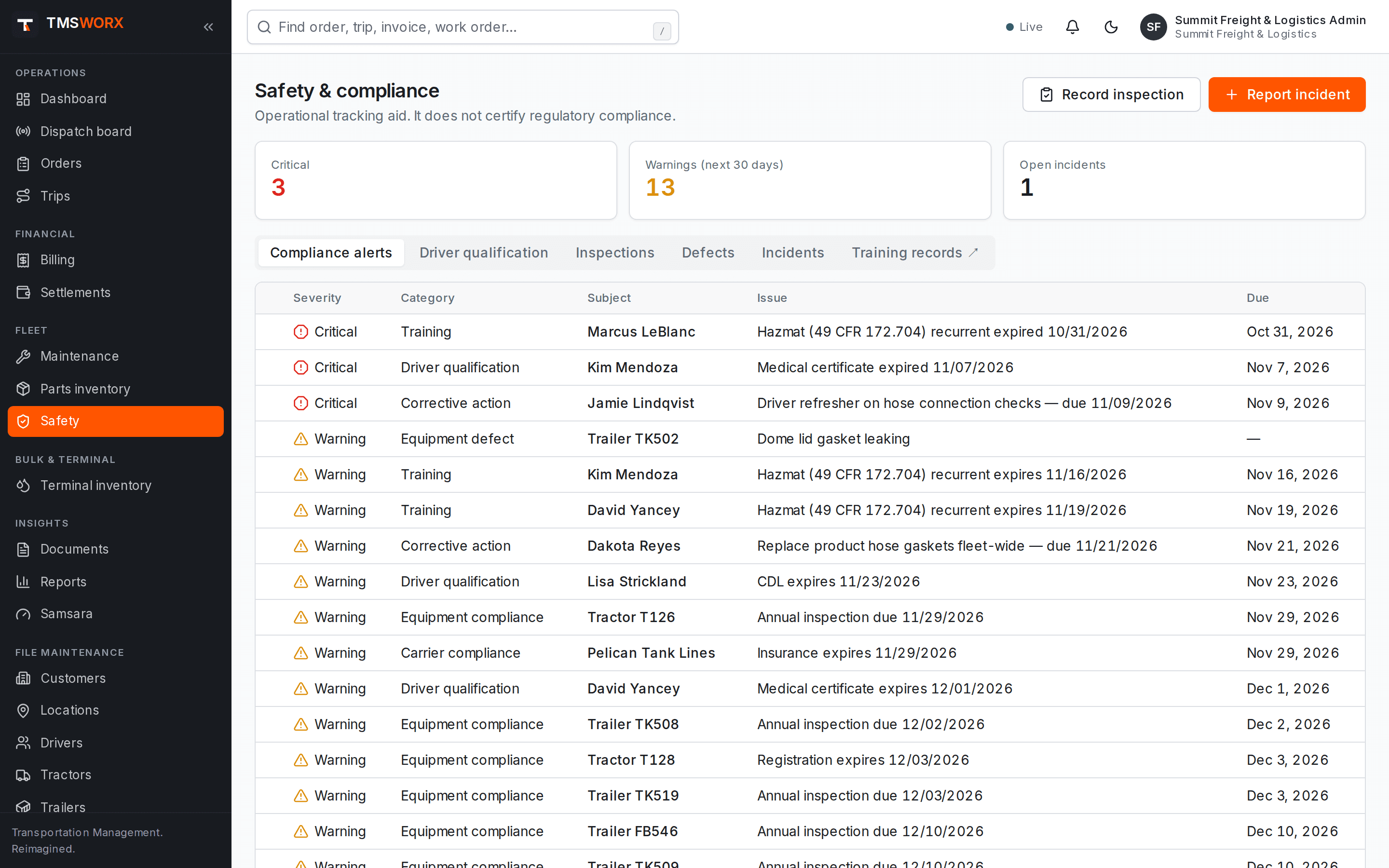
Actual application screenshots. Demonstration company, fictional data.
Included in Professional Cloud and above
01
Inspections on record
Pre-trip, post-trip, annual, roadside, terminal and tank inspections with pass, defects or fail results.
02
Incidents followed through
Accidents, injuries, spills, cargo damage, citations and near misses with corrective actions and owners.
03
Qualification awareness
Driver licence and medical expirations are tracked and enforced at dispatch.
Inspections and defects
Record inspection results and the defects found. Defects marked as out-of-service conditions can be linked to a maintenance work order.
- Six inspection types
- Defect severity and status
- Out-of-service condition flag
- Link from defect to work order
- Six inspection types
- Defect severity and status
- Out-of-service condition flag
- Link from defect to work order
Incidents and corrective actions
Log what happened, where and who was involved. Track investigation status, preventability, recordability and estimated cost, then assign corrective actions with due dates.
- Incident types including hazmat release
- Preventable and DOT-recordable flags
- Corrective actions with due dates
- Driver, equipment and trip links
- Incident types including hazmat release
- Preventable and DOT-recordable flags
- Corrective actions with due dates
- Driver, equipment and trip links
Driver qualification files
Define the items your company keeps in each driver's file, record when each was completed and attach the supporting document. Renewals are calculated and expiring items show up in compliance alerts.
- Your own checklist, by driver type
- Renewal intervals and expiry dates
- Supporting documents on the driver's record
- Full history of every entry
- Your own checklist, by driver type
- Renewal intervals and expiry dates
- Supporting documents on the driver's record
- Full history of every entry
Audit-ready packets
Produce one PDF for a driver or a unit: a summary cover page followed by the approved documents behind it.
- Driver qualification file packets
- Equipment packets with registration, inspection and defect summary
- Recent work-order PDFs included
- Hours of service from your ELD shown alongside
- Driver qualification file packets
- Equipment packets with registration, inspection and defect summary
- Recent work-order PDFs included
- Hours of service from your ELD shown alongside
How it flows
Safety in the life of a load
- 01
Inspection recorded
- 02
Defect found
- 03
Work order opened
- 04
Incident reported
- 05
Corrective action assigned
- 06
Closed
Connected modules
Works with the rest of TMSWORX
Questions
Frequently asked
Does TMSWORX tell me what belongs in a driver qualification file?
No. You define the checklist. A suggested starting list is available, but you must confirm it against your own obligations.
Does TMSWORX guarantee regulatory compliance?
No software can. TMSWORX helps you keep records and enforce your own rules; your safety program and regulatory obligations remain yours.
Ready to modernize your transportation operation?
See TMSWORX with your own lanes, equipment and workflows in mind. We will walk through dispatch, billing and the modules that matter to your fleet.