Reporting
Answers from the data you already enter.
Because orders, trips, invoices, settlements and work orders live in one system, reports need no exports or manual joins. Filter by date and export to CSV when you need to go further.
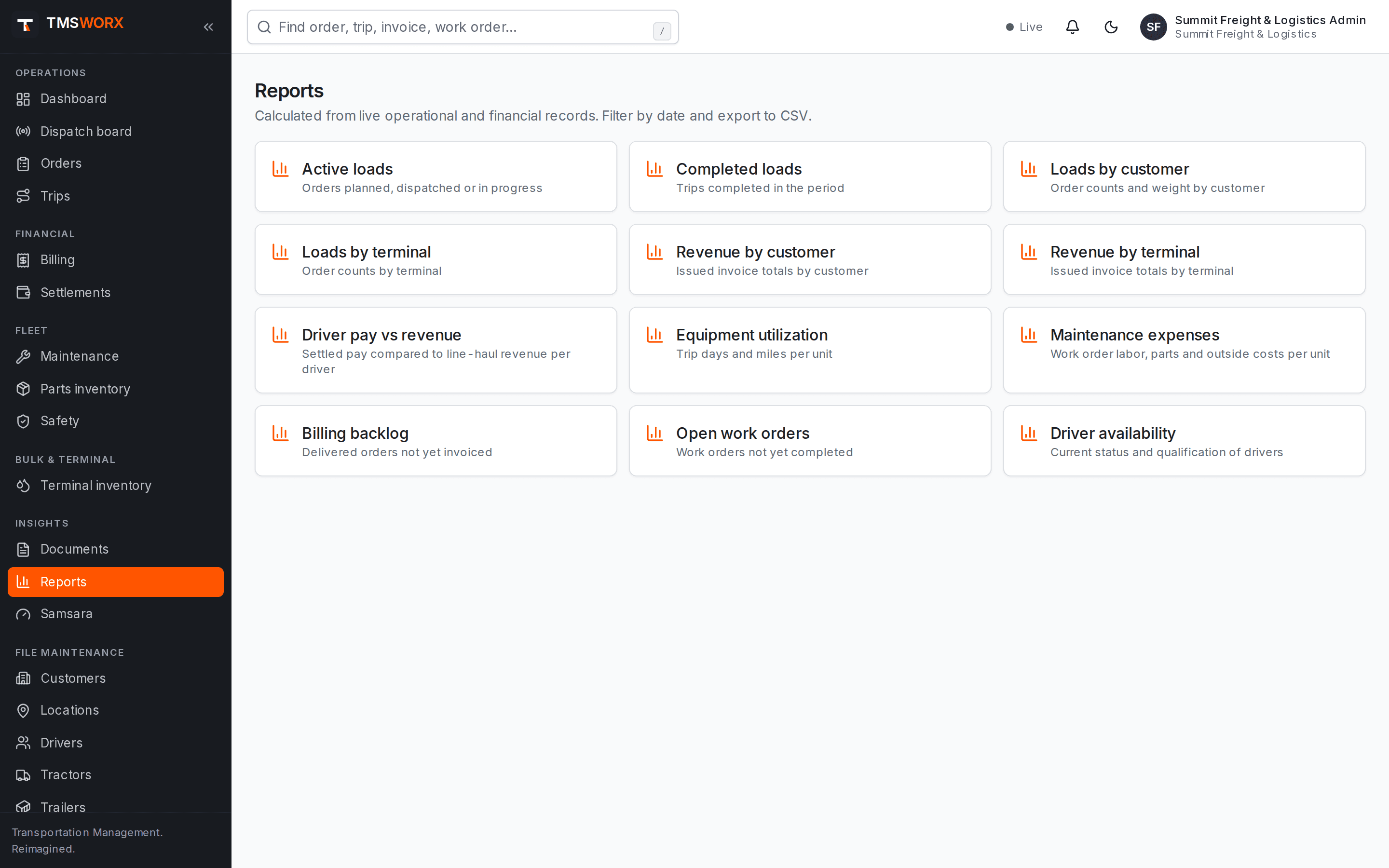
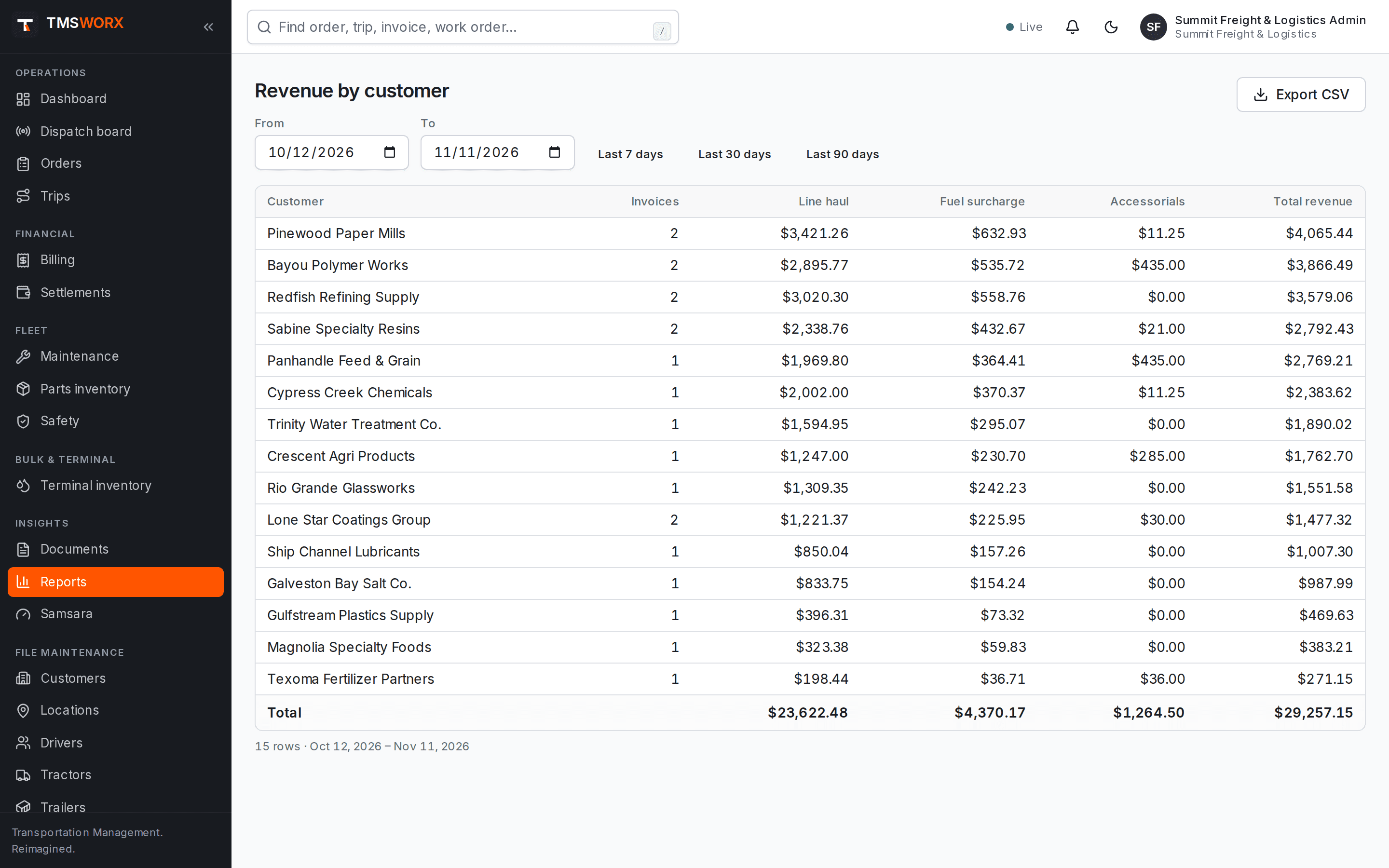
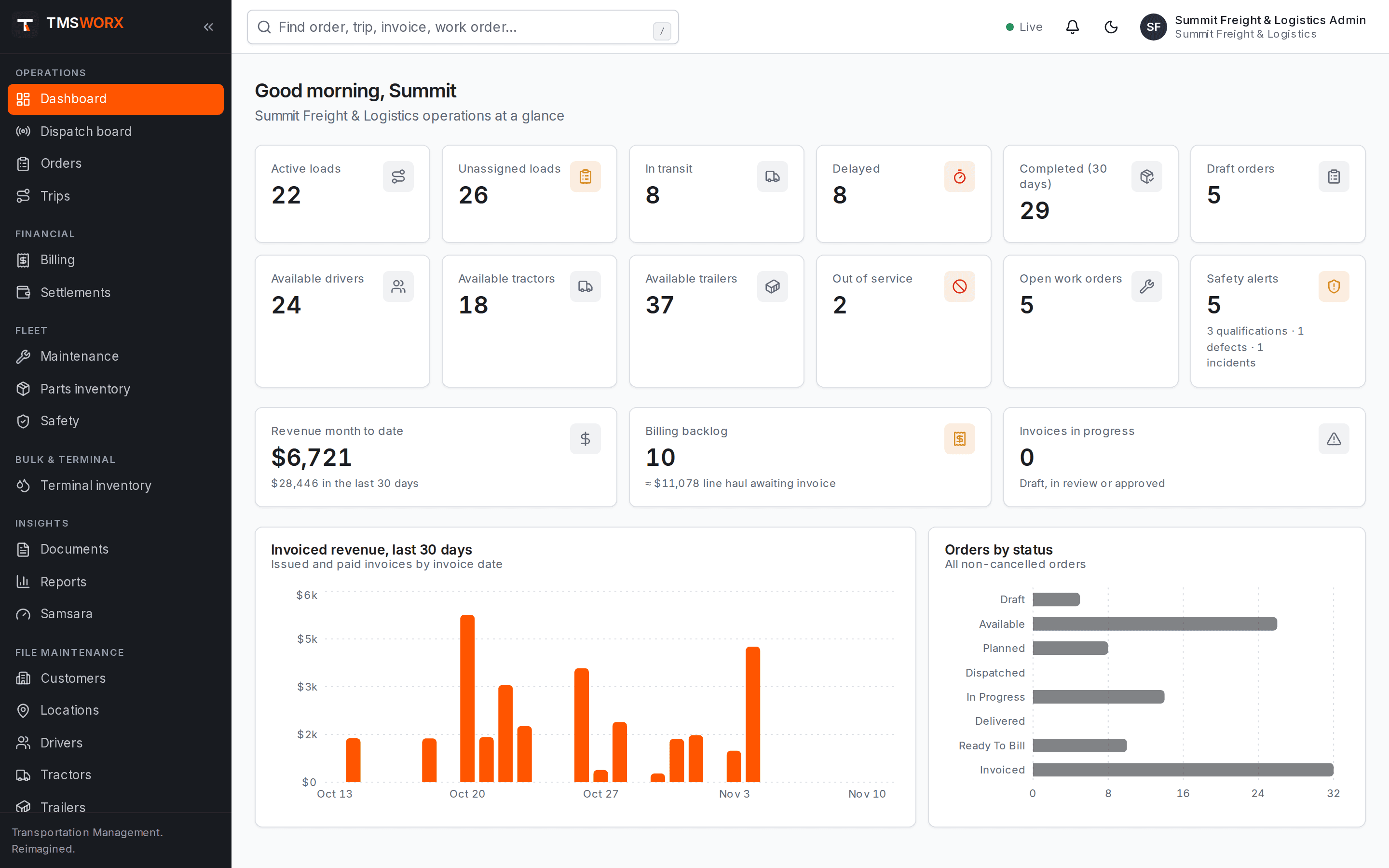
Actual application screenshots. Demonstration company, fictional data.
Included in every cloud plan
01
Operations dashboard
Today's loads, trips on the road, late trips, exceptions and billing backlog at a glance.
02
Nineteen standard reports
Loads, revenue, pay, utilization, on-time delivery, paperwork, detention, mileage variance, safety, inventory and profitability.
03
Excel, CSV and PDF
Export any report, save it with its filters and schedule it to arrive in your Document Center.
Standard reporting (every plan)
Core operational and revenue reports that every carrier needs.
- Active loads and completed loads
- Loads by customer and by terminal
- Revenue by customer and by terminal
- Billing backlog
- Equipment utilization
- Driver availability
Advanced reporting (Professional and above)
Reports that combine settlement and maintenance data with revenue.
- Driver pay versus revenue
- Maintenance expenses
- Open work orders
Profitability and revenue leakage
Revenue, cost and margin for every delivered load, rolled up by customer, lane, driver, unit, terminal or commodity. Invoices and approved settlements count as final; fuel, maintenance and other costs are estimates from your own assumptions, and every figure says which it is.
- Revenue and cost per mile, margin and profit per load
- Customer and lane profitability
- Unbilled loads and detention not billed
- Invoiced miles below the miles run
- Accessorials missing from invoices
- Revenue and cost per mile, margin and profit per load
- Customer and lane profitability
- Unbilled loads and detention not billed
- Invoiced miles below the miles run
- Accessorials missing from invoices
Operations assistant
Ask everyday questions — which delivered loads are missing PODs, which drivers are free near a city, which customers run up detention, what a load's status is — and get the matching records. It only shows data the person asking is allowed to see, and it never changes anything.
- Missing paperwork and certificates awaiting approval
- Available drivers near a place
- Delays, detention and billing issues
- Load summaries and equipment suggestions
- Missing paperwork and certificates awaiting approval
- Available drivers near a place
- Delays, detention and billing issues
- Load summaries and equipment suggestions
How it flows
Reporting in the life of a load
- 01
Work recorded in each module
- 02
Dashboard updates
- 03
Reports filtered by period and customer
- 04
Exported or scheduled
Connected modules
Works with the rest of TMSWORX
Questions
Frequently asked
Can we build our own reports?
Not inside TMSWORX today. Every report exports to CSV, and custom reporting can be scoped as a professional service.
Ready to modernize your transportation operation?
See TMSWORX with your own lanes, equipment and workflows in mind. We will walk through dispatch, billing and the modules that matter to your fleet.