Fleet visibility
Where every truck is, what it is carrying, and how many hours its driver has left.
Positions from your ELD or telematics platform appear on a fleet map beside the trip, the load and the driver's hours of service. Geofences around your customer locations record arrivals and departures automatically, so dispatchers spend less time on check calls.
Actual application screenshots. Demonstration company, fictional data.
Included in Professional Cloud and above
01
One map, with context
Each truck shows its driver, trailer, current trip, next stop and remaining hours, not just a dot.
02
Fewer check calls
Geofence arrivals and departures update stops as trucks come and go, with a timeline on the order.
03
GPS is never proof of delivery
A truck leaving a geofence does not close a stop that needs paperwork. The driver's checklist and documents do.
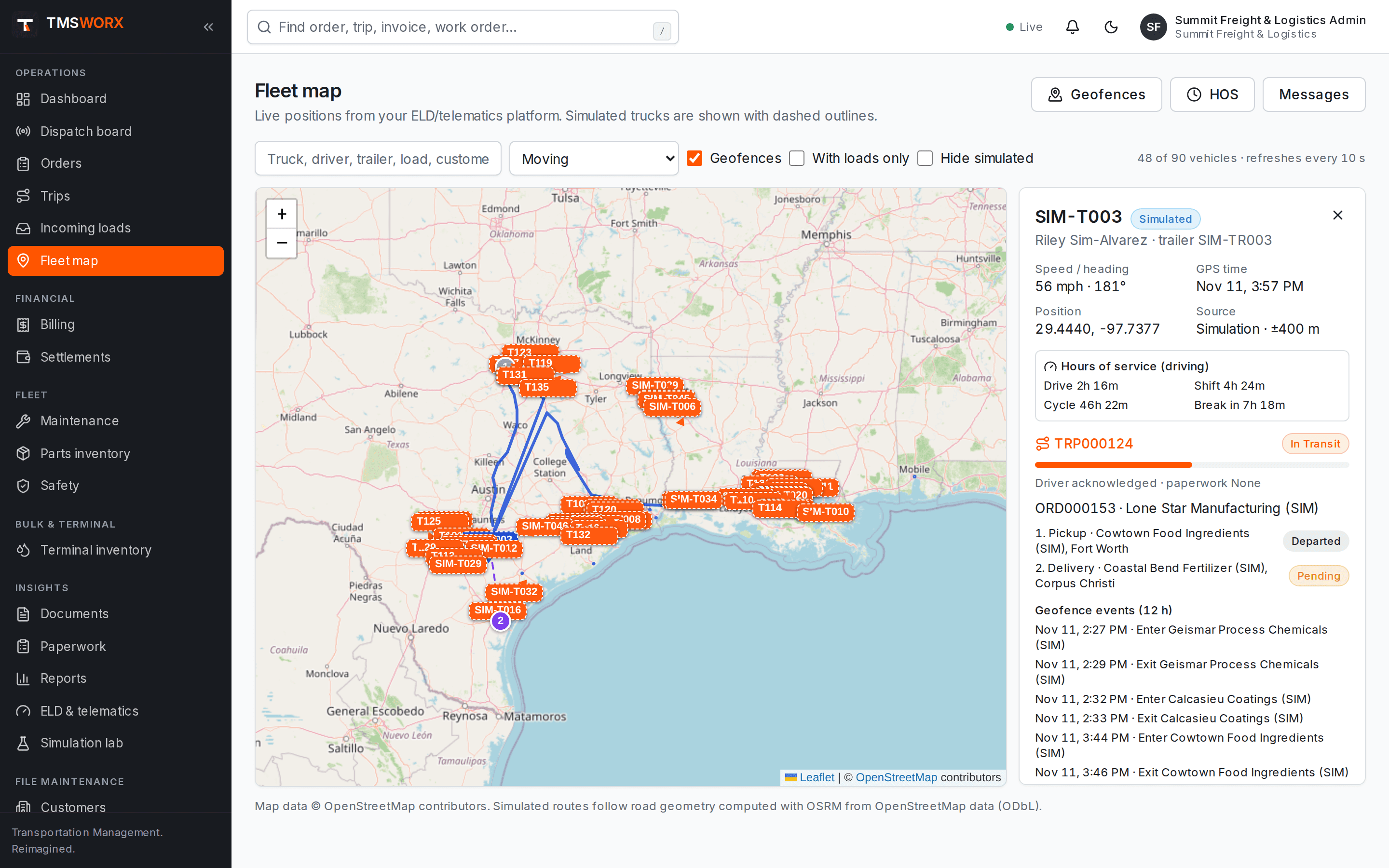
Live fleet map
Filter by status, search by truck, driver, load or customer, and open any vehicle to see its trip, stops and recent geofence events.
- Positions refreshed from your telematics platform
- Planned route and stop markers for the selected trip
- Filters for moving, stopped and loaded units
- Position accuracy and data source shown
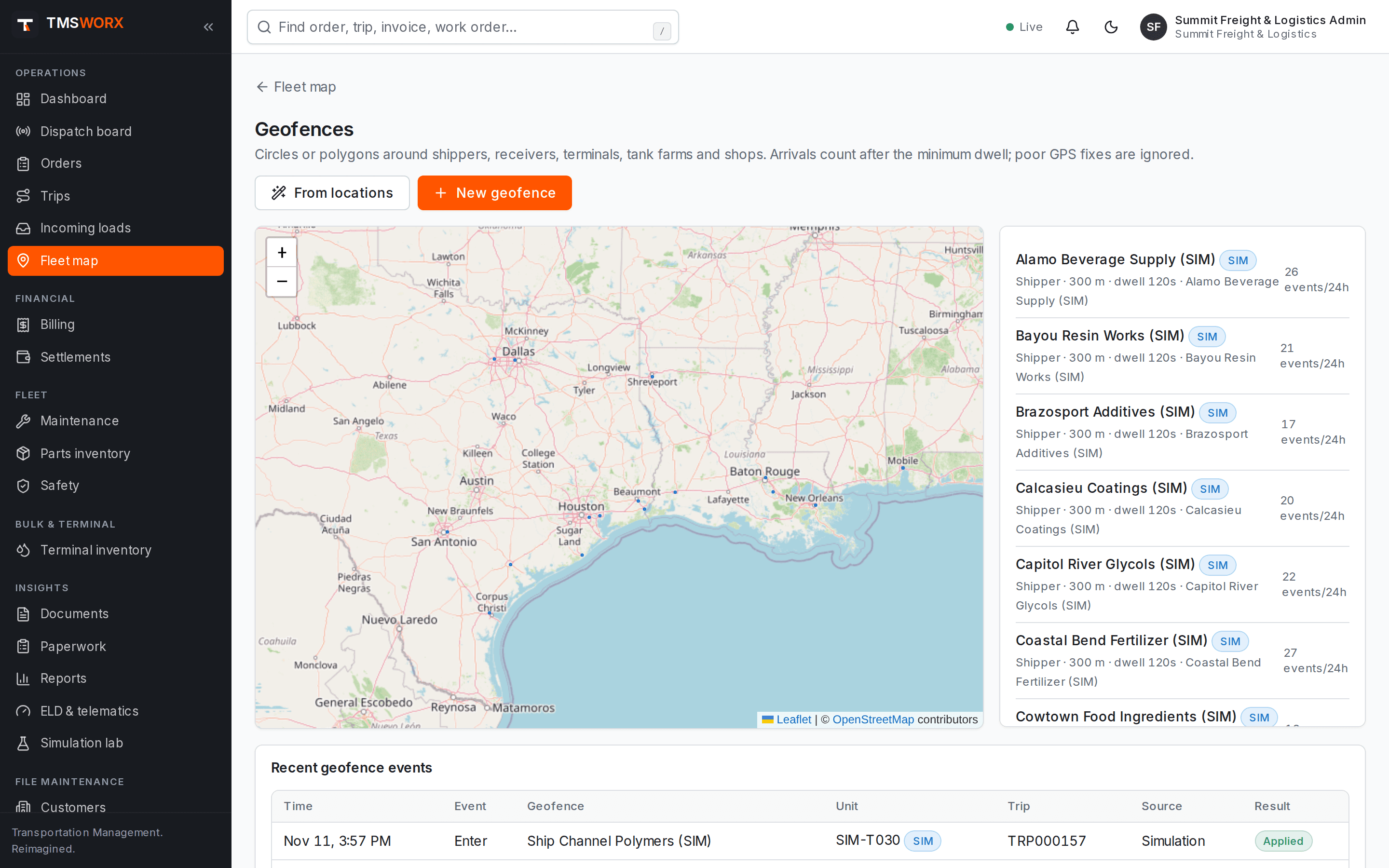
Geofences that understand trucking
Geofences are created around your locations. Arrivals require the truck to stay inside long enough to count, and brief exits or GPS drift are ignored.
- Dwell time before an arrival is recorded
- Accuracy and multi-fix checks before departures
- Duplicate and bounce protection
- Departures held until the driver completes the stop checklist
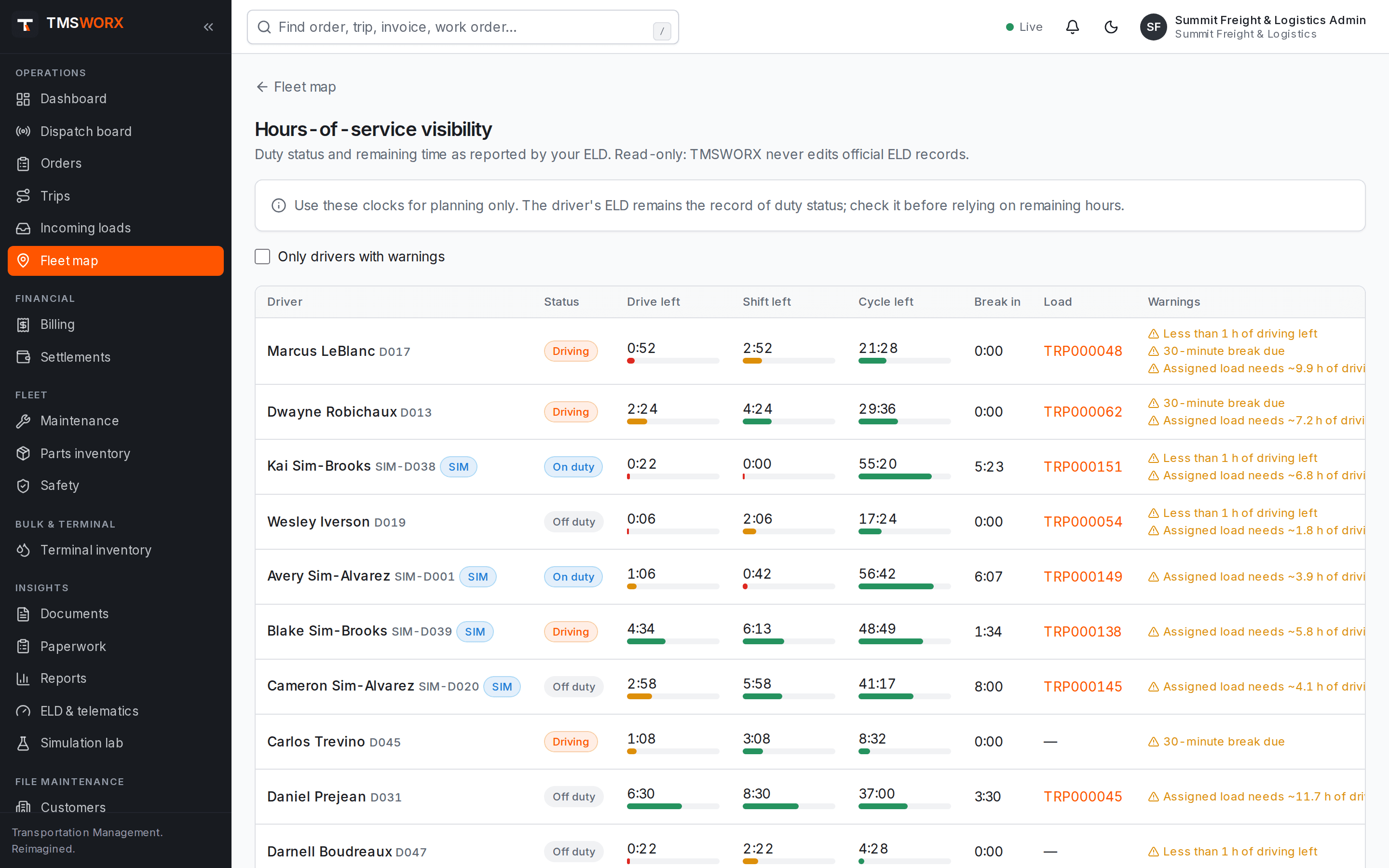
Hours of service in view
Remaining drive, shift and cycle time from the ELD appears on the map, in a dedicated HOS list, and as warnings when a dispatcher assigns a load.
- Drive, shift, cycle and break clocks
- Warnings in the assignment dialog
- Read-only: hours-of-service records stay in your ELD
- Driver messages from the fleet screens
- Drive, shift, cycle and break clocks
- Warnings in the assignment dialog
- Read-only: hours-of-service records stay in your ELD
- Driver messages from the fleet screens
How it flows
Fleet Map & Geofences in the life of a load
- 01
Load dispatched
- 02
Truck enters pickup geofence
- 03
Driver completes checklist
- 04
Departure recorded
- 05
Arrival at delivery
- 06
Paperwork reviewed, ready to bill
Connected modules
Works with the rest of TMSWORX
Questions
Frequently asked
Is TMSWORX an ELD?
No. TMSWORX is a transportation management system. It reads positions and hours-of-service clocks from your ELD or telematics platform and never creates or edits official hours-of-service records.
Will a geofence exit mark a load delivered?
No. GPS alone is never treated as proof that freight was loaded or delivered. Stops that require paperwork stay open until the driver completes the checklist and the required documents are received.
Ready to modernize your transportation operation?
See TMSWORX with your own lanes, equipment and workflows in mind. We will walk through dispatch, billing and the modules that matter to your fleet.