Document management
Every BOL, POD and COA on the load it belongs to — opened in one click.
Each load has its own Documents tab showing every piece of paperwork and its approval status. Open a document to preview it in the browser, approve it, upload a corrected version or share it with a customer, and keep billing on hold until the required paperwork is verified.
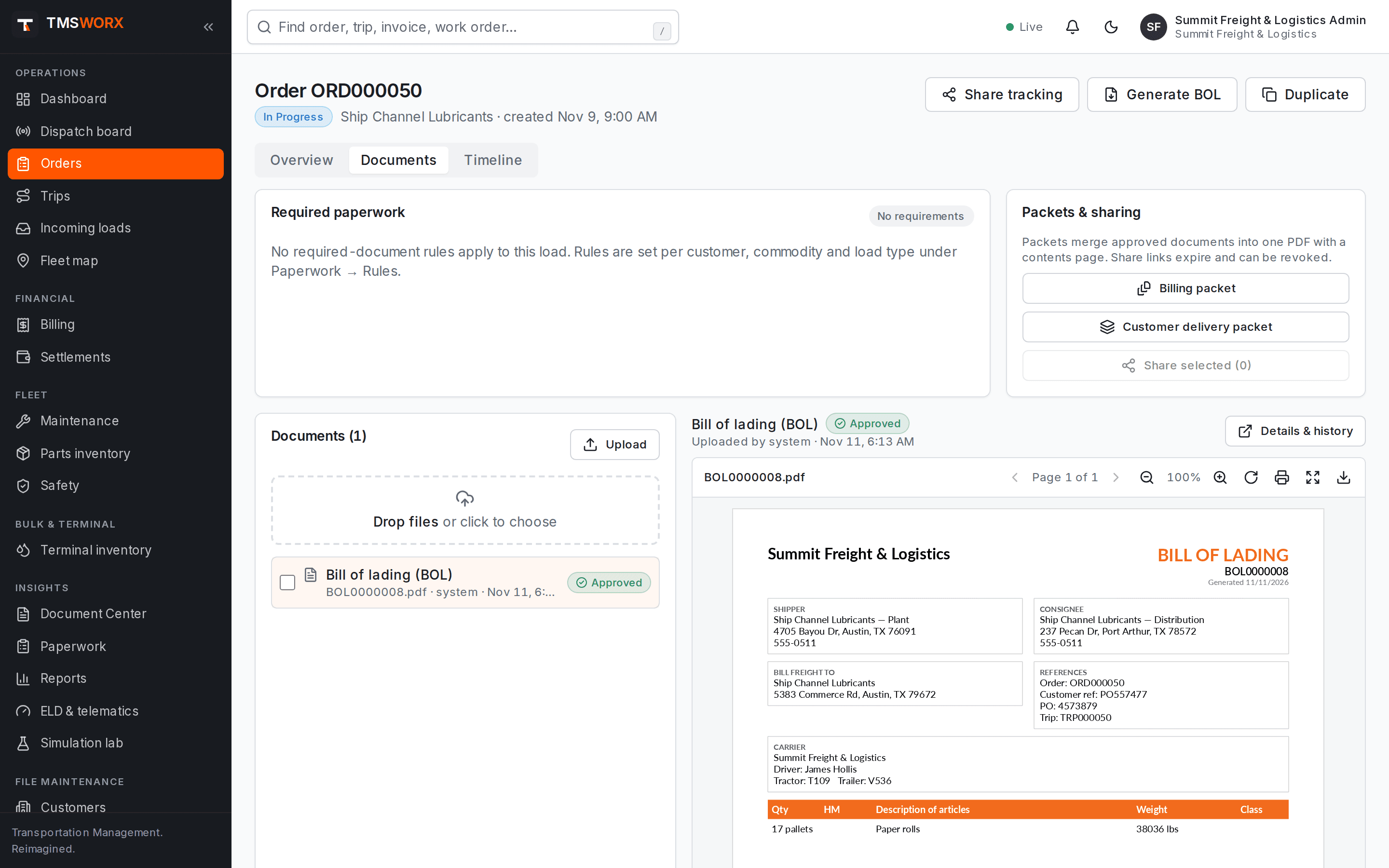
Actual application screenshots. Demonstration company, fictional data.
Included in every cloud plan
01
No download to check a document
PDFs and photos open inline with page thumbnails, zoom, rotation, full screen and printing.
02
Billing waits for paperwork
Required documents are set per customer, commodity and load type. Loads are not billable until they are in and approved, unless an authorized override is recorded.
03
A full history
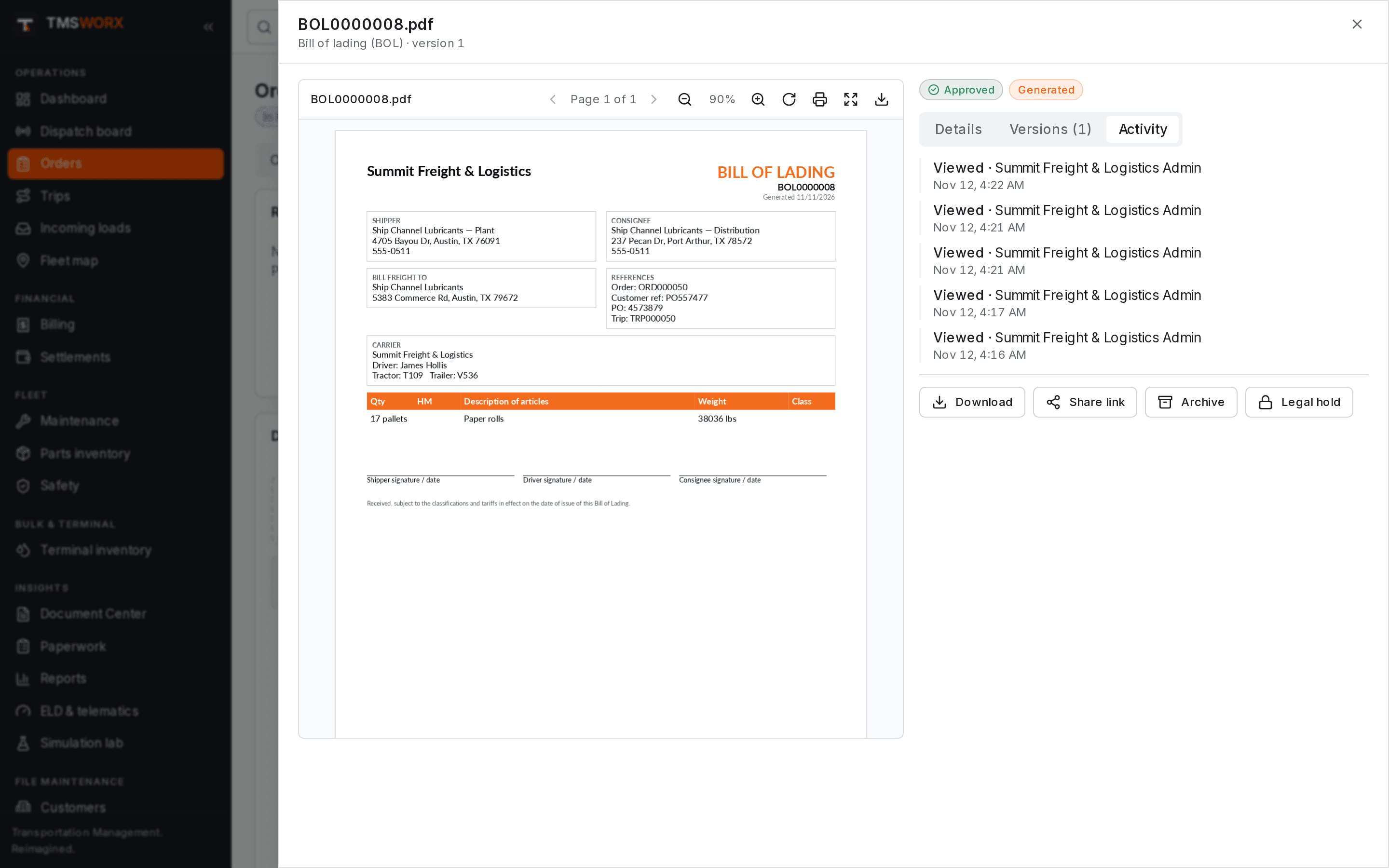
Uploads, views, downloads, approvals, new versions and shares are recorded with who and when.
Paperwork on every load
The Documents tab shows each required document with its status — missing, pending review or approved — beside the load's other files. Drop files onto the load to attach them.
- Required-paperwork checklist per load
- Inline preview with thumbnails, zoom and rotation
- Uploaded by, upload time and approval status on every file
- Drag-and-drop and bulk uploads
Review, versions and retention
Document types can require review before they count. Corrected files are uploaded as new versions, and earlier versions stay available. Retention periods and legal holds prevent paperwork from being deleted too early.
- Approve or reject with a reason
- Version history with every earlier file
- Retention periods per document type
- Legal holds and an activity log
A document center for the whole company
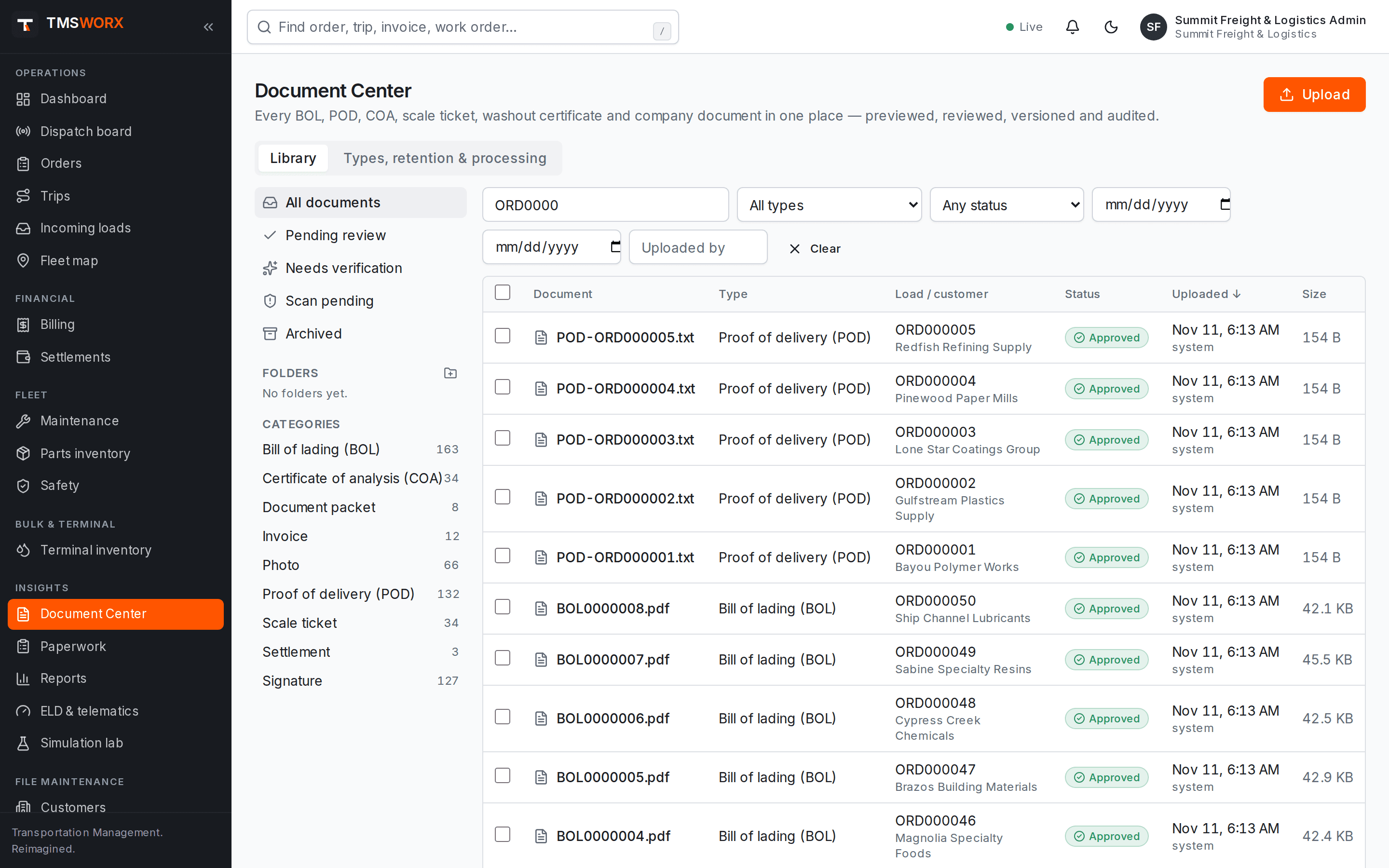
Search every document by name, load, customer, reference or text inside the PDF. Organize with folders and categories, add your own document types, and act on many documents at once.
- Folders, categories and custom document types
- Filters by type, status, date and uploader
- Bulk download, approve, move, tag and archive
- Bills of lading, PODs, COAs, scale tickets, washout certificates, inspection, insurance and equipment documents
- Folders, categories and custom document types
- Filters by type, status, date and uploader
- Bulk download, approve, move, tag and archive
- Bills of lading, PODs, COAs, scale tickets, washout certificates, inspection, insurance and equipment documents
Packets and secure sharing
Combine a load's approved paperwork into one PDF for billing or for the customer, or send a link that expires. Only approved documents can be shared, and every view is logged.
- Billing and customer delivery packets
- Expiring, revocable share links
- Optional download limits
- Generated BOL, invoice, settlement and work order PDFs
- Billing and customer delivery packets
- Expiring, revocable share links
- Optional download limits
- Generated BOL, invoice, settlement and work order PDFs
How it flows
Document Management in the life of a load
- 01
Load created
- 02
BOL generated
- 03
POD and COA uploaded
- 04
Paperwork reviewed
- 05
Billing packet
- 06
Invoice issued
Connected modules
Works with the rest of TMSWORX
Questions
Frequently asked
How are documents protected?
Files are private to your company and never published on public addresses. They are encrypted when stored, checked for malware when uploaded, and every view and download is recorded. Share links expire and can be revoked.
How large can uploaded files be?
Up to 25 MB per file, up to 50 files at a time. PDF, common image formats, text, CSV, Word and Excel files are accepted.
Can a load be billed without its paperwork?
Only if someone with billing-override permission records a reason. The override, the person and what was missing are kept on the load.
Ready to modernize your transportation operation?
See TMSWORX with your own lanes, equipment and workflows in mind. We will walk through dispatch, billing and the modules that matter to your fleet.