Driver portal & paperwork
Paperwork collected at the stop, reviewed in the office, before the invoice goes out.
Drivers open their assigned loads in a mobile web portal, work through the checklist for each stop, capture signatures and photograph documents. The office reviews what arrives, and billing waits until the required paperwork is in.
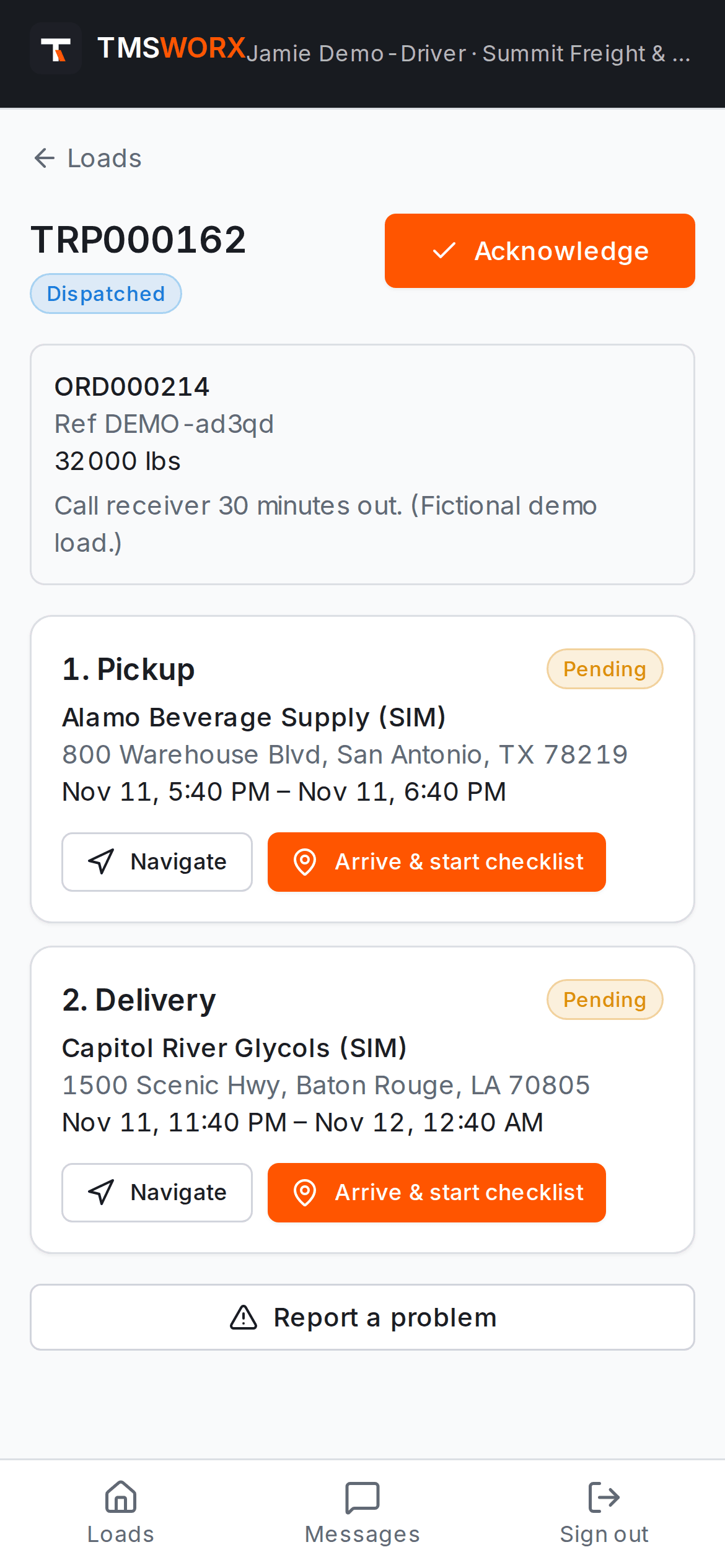
Actual application screenshots. Demonstration company, fictional data.
Included in every cloud plan
01
Drivers see only their loads
Each driver signs in to their own assignments: stops, appointments, instructions and messages from dispatch.
02
Complete paperwork, first time
Required documents, signatures and questions are part of the stop checklist, so nothing is forgotten at the dock.
03
Invoices backed by documents
Billing is held while required paperwork is missing or awaiting review, so invoices go out with their PODs.
A mobile portal for drivers
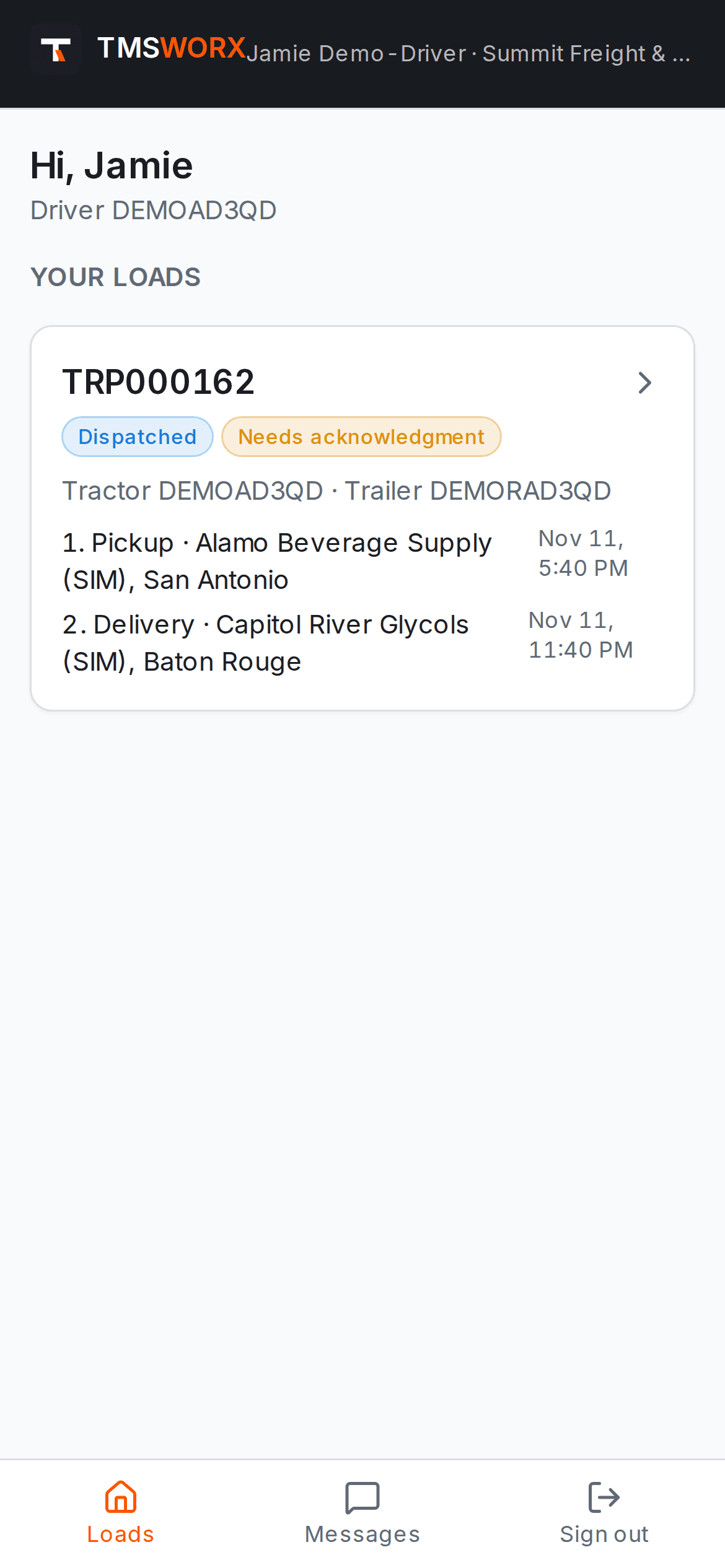
No app store install: drivers use the portal in their phone's browser. They acknowledge loads, record arrivals, and read and reply to dispatch messages.
- Assigned loads with stops and appointments
- Load acknowledgement
- Arrival and departure by the driver
- Messages with dispatch
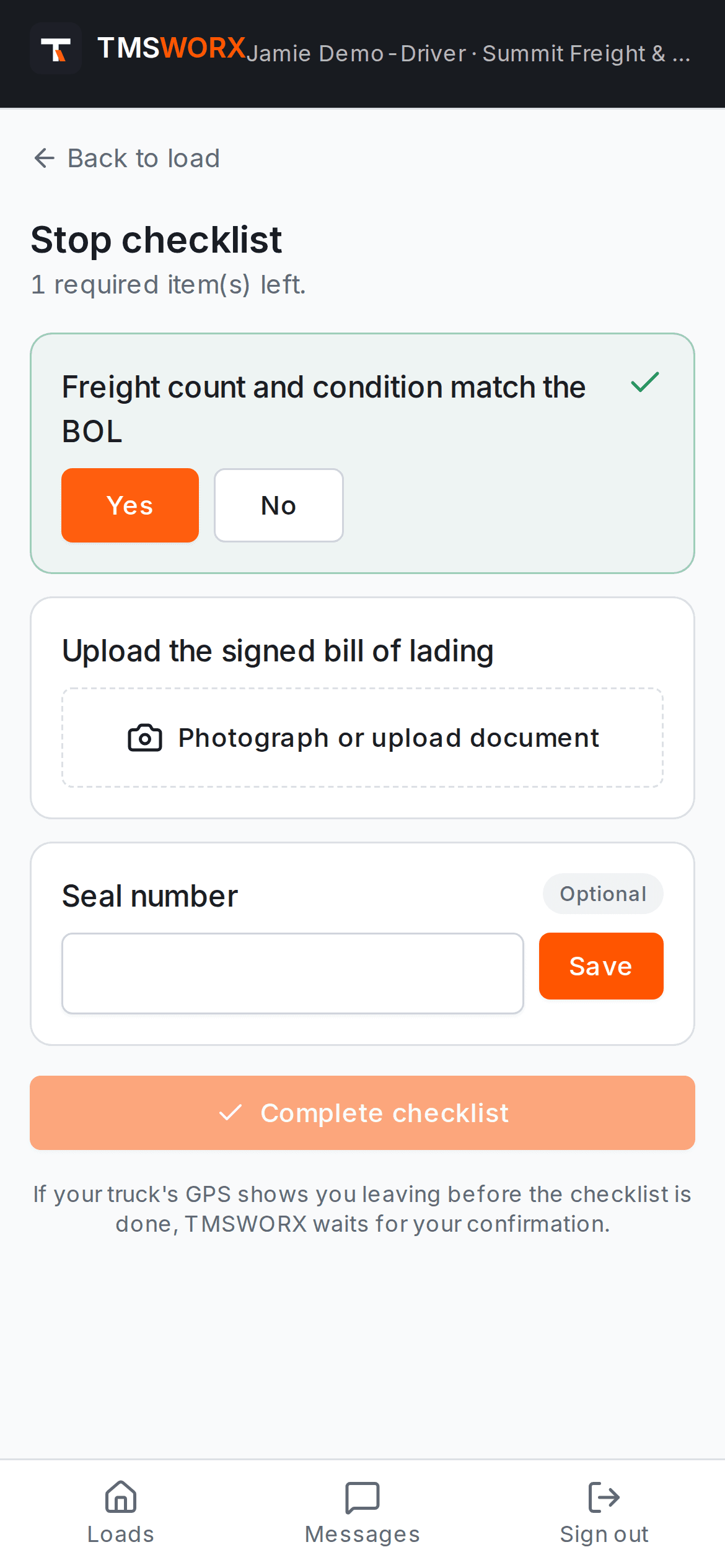
Stop checklists with signatures and photos
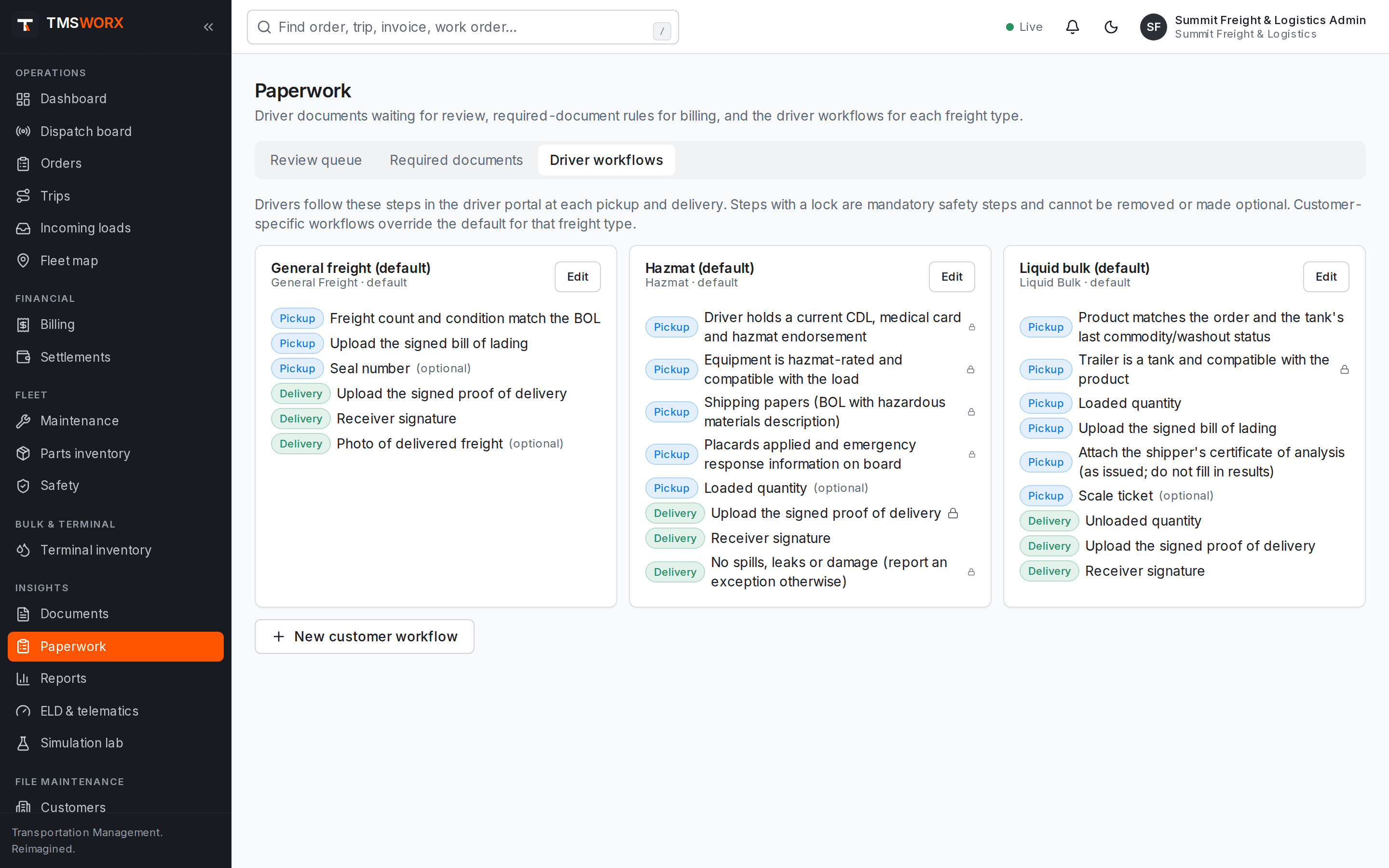
Each stop opens a checklist from the workflow configured for that type of freight. Required items must be finished before the stop can be completed.
- Confirmations, quantities and text fields
- Document photos from the phone camera
- On-screen signature capture
- Required and optional steps
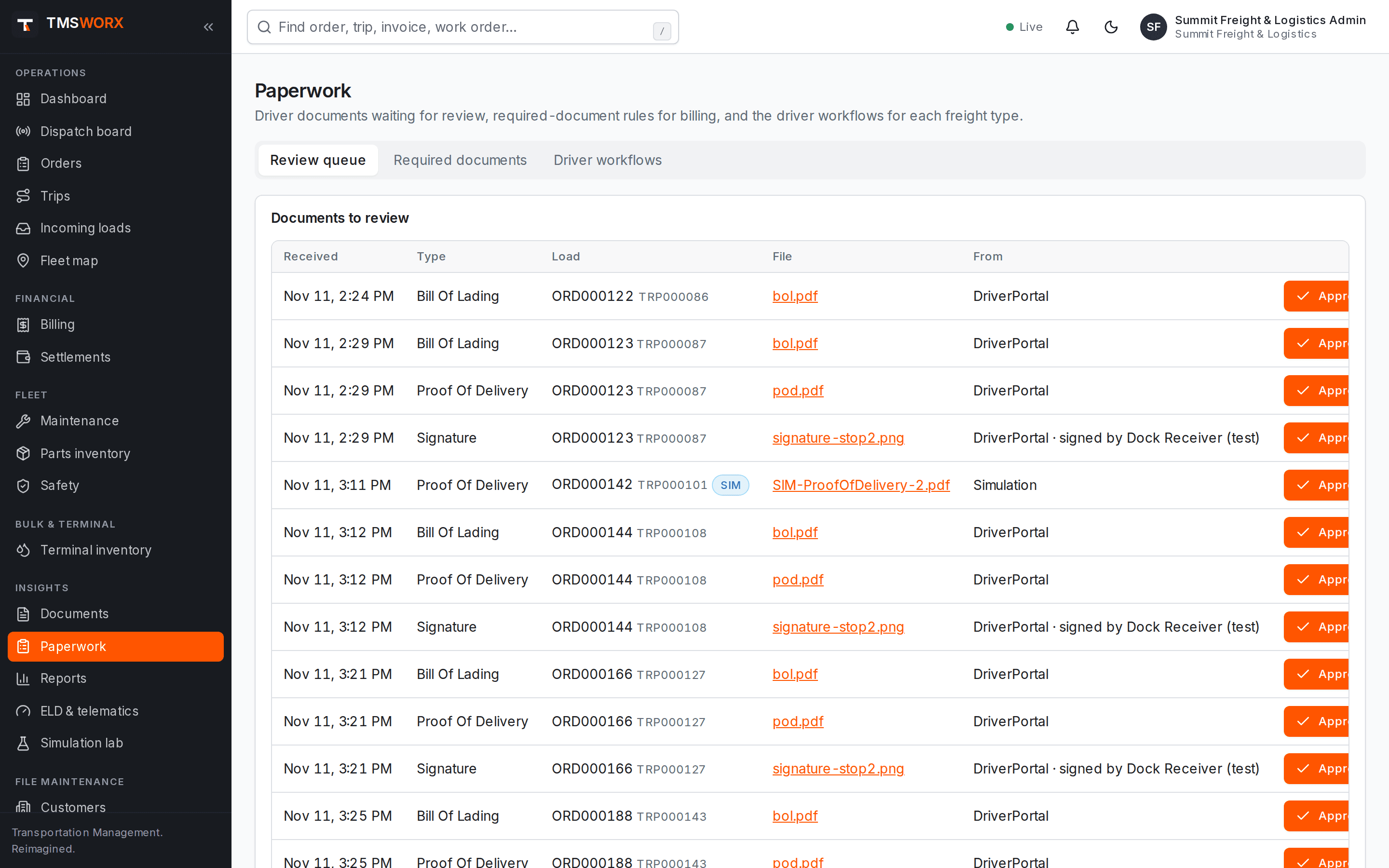
Paperwork review and rules
Documents from drivers land in a review queue. Approve or reject with a reason; rejected items go back to the driver.
- Review queue with approve and reject
- Required-document rules per customer or freight type
- Billing blocked until paperwork is complete
- Full history on the order timeline
Workflows and tracking links
Build checklists for general freight, liquid bulk and hazmat stops in the workflow builder. Share a tracking link that shows a customer their shipment's progress without exposing driver details or rates.
- Workflow builder with ready-made templates
- Locked safety steps that cannot be removed
- Expiring customer tracking links
- No driver names, phone numbers or rates on tracking pages
How it flows
Driver Portal & Paperwork in the life of a load
- 01
Load assigned
- 02
Driver acknowledges
- 03
Arrives and starts checklist
- 04
Signature and photos captured
- 05
Office reviews paperwork
- 06
Invoice released
Connected modules
Works with the rest of TMSWORX
Questions
Frequently asked
Do drivers need to install an app?
No. The driver portal runs in the phone's web browser. Drivers sign in with an invitation sent by your office.
Does the driver portal record hours of service?
No. Hours of service remain in your ELD. The driver portal handles loads, checklists, paperwork and messages.
Ready to modernize your transportation operation?
See TMSWORX with your own lanes, equipment and workflows in mind. We will walk through dispatch, billing and the modules that matter to your fleet.