EDI
Load tenders arrive, get checked, and become orders without re-keying.
TMSWORX reads incoming X12 204 load tenders, matches the shipper, stops and references to your records, and puts each tender in front of a dispatcher to accept or decline. Accepted tenders become orders, and status updates and invoices go back to the trading partner as the load moves.
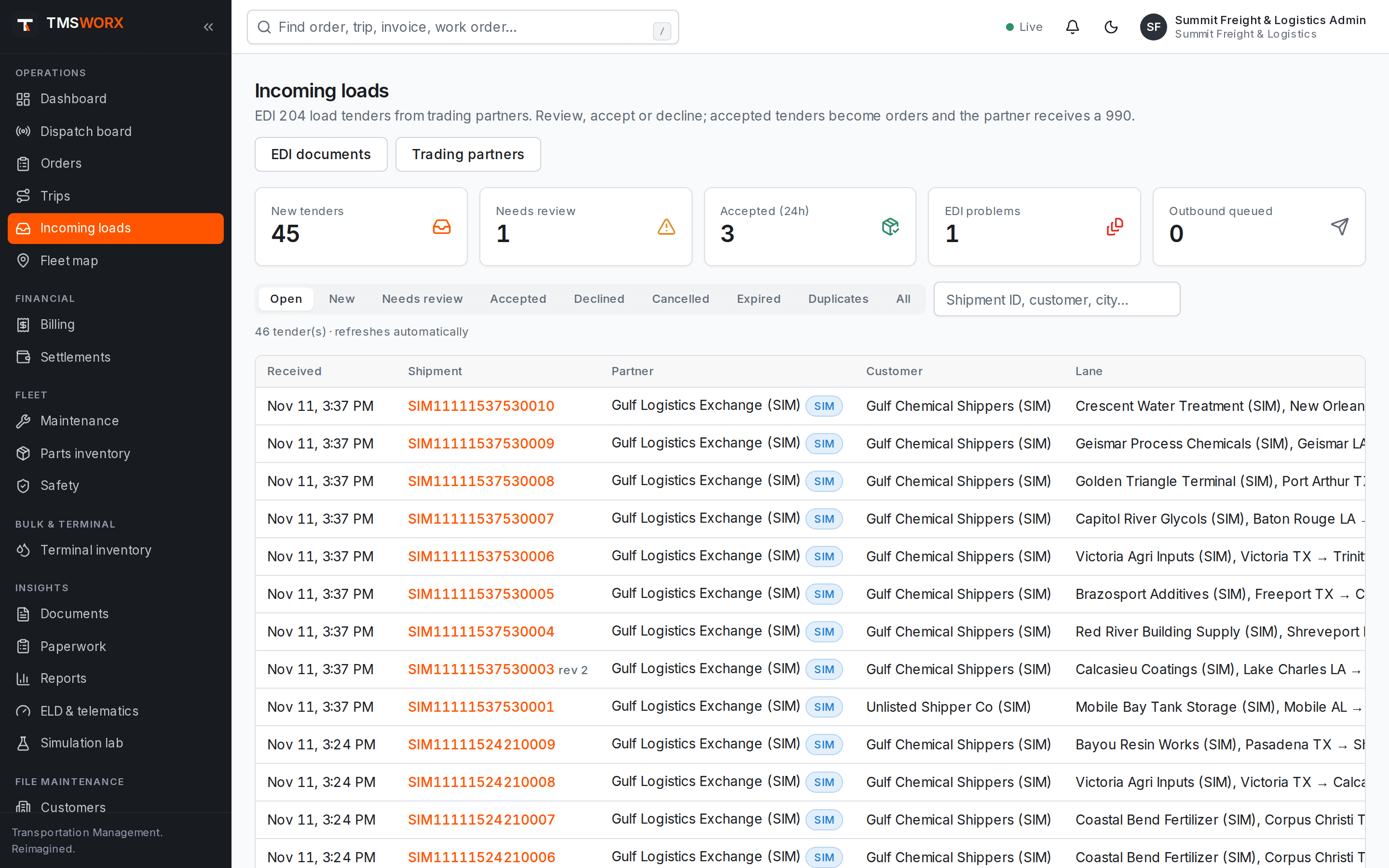
Actual application screenshots. Demonstration company, fictional data.
Available on request for any cloud plan; scoped in your quote
01
No re-keying
Accepted tenders become orders with the stops, appointments, references and weights from the 204.
02
Decisions before deadlines
Each tender shows its response deadline. New tenders raise an alert for dispatchers as they arrive.
03
Partners kept informed
214 status messages follow stop events, 210 invoices follow billing, and missing 997 acknowledgements are flagged.
Review every tender
Incoming 204s are validated and matched to your customers and locations. Anything that cannot be matched is held for review instead of creating a half-correct order.
- X12 204 parsing and validation
- Customer and location matching with review queue
- Original, change and cancel tenders handled
- Response deadline shown on each tender
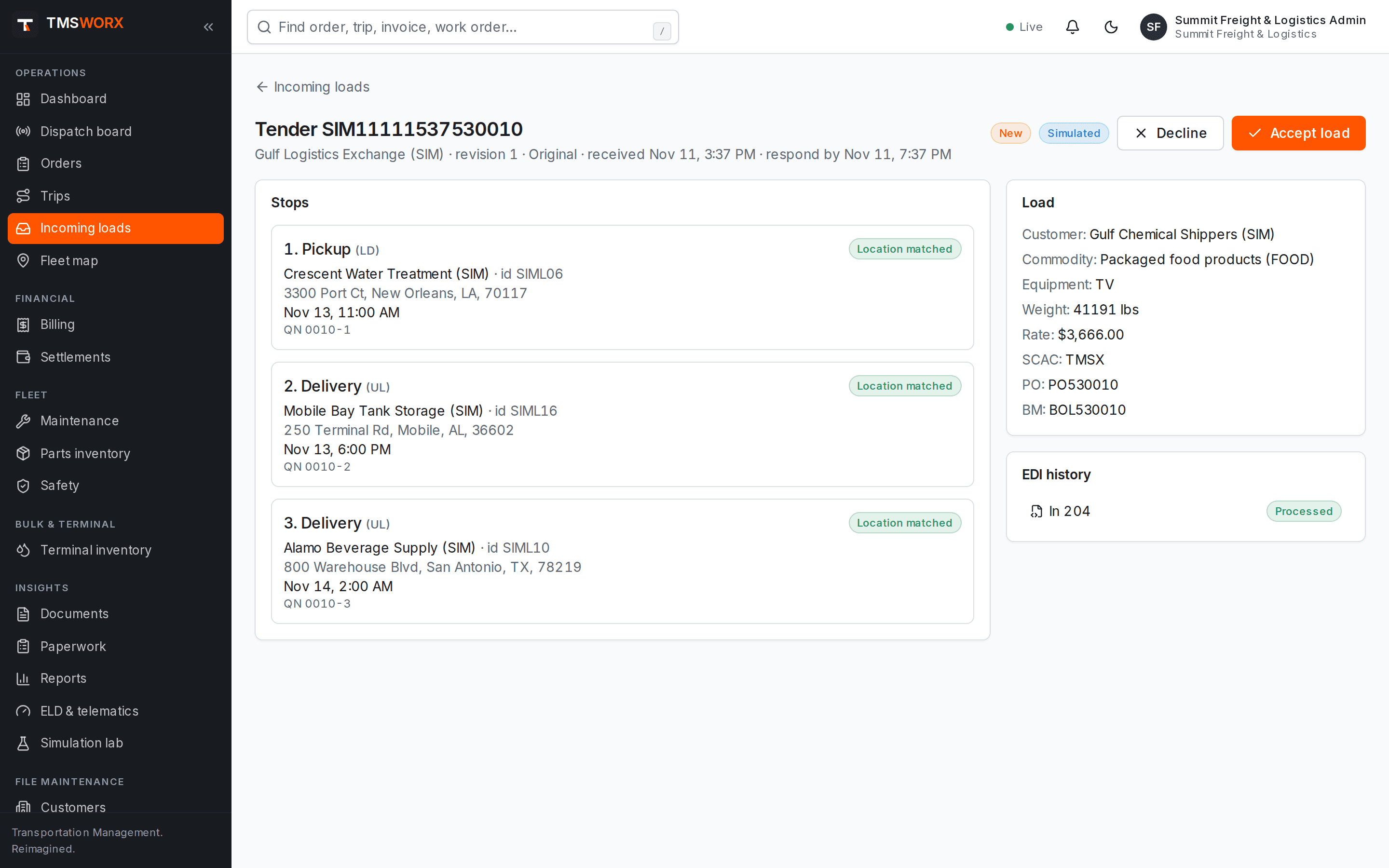
Accept or decline with a 990
A dispatcher accepts or declines with one action. TMSWORX sends the 990 response and, on acceptance, creates the order ready for dispatch.
- 990 accept and decline with reason
- Order created on acceptance
- Duplicate tenders detected; unanswered tenders expire
- Permission controls for who can decide
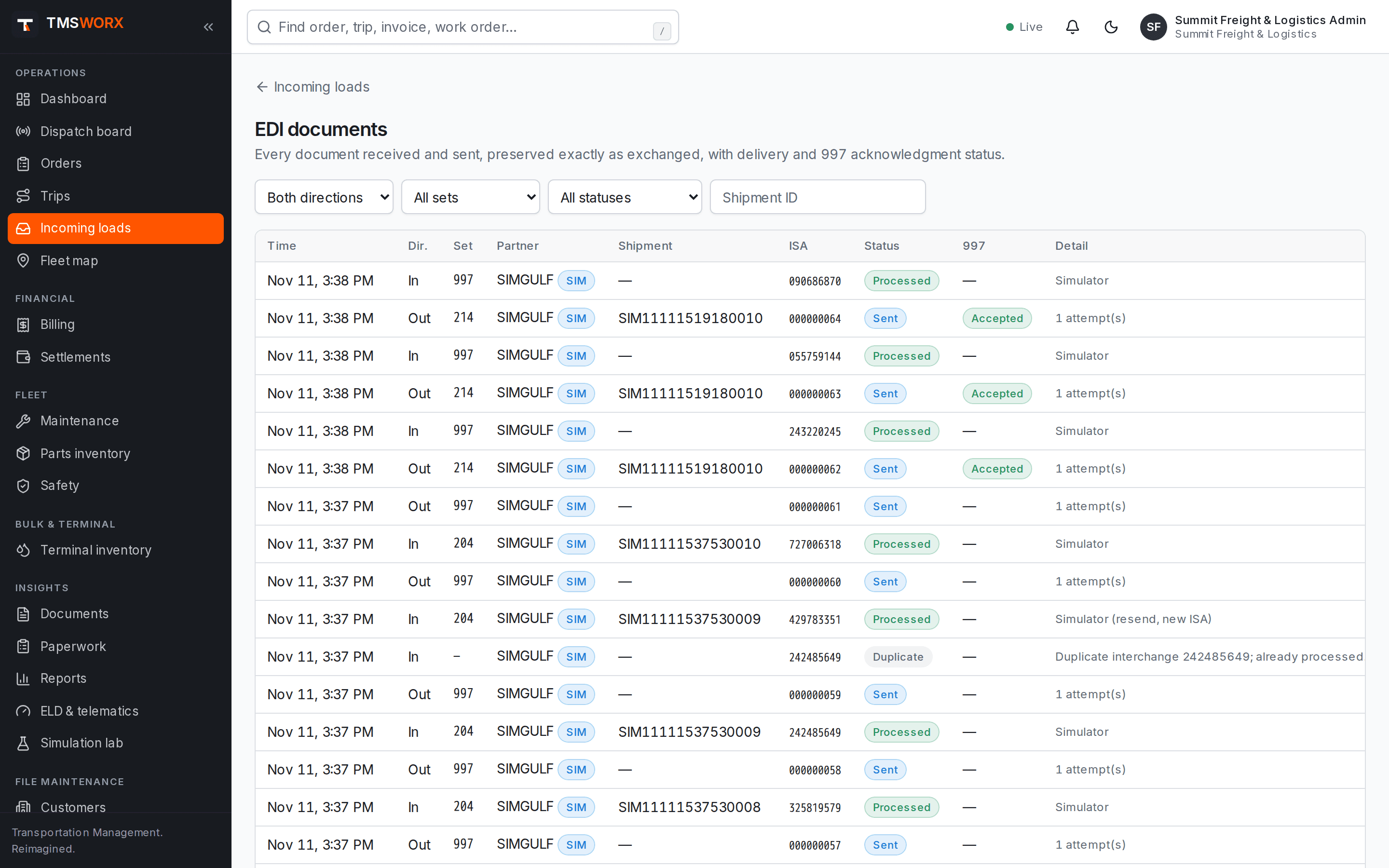
Status, invoices and acknowledgements
Arrivals, departures and deliveries recorded on the trip send 214 status messages. Issuing the invoice sends a 210. Every outbound document is tracked until the partner's 997 arrives.
- 214 shipment status from stop events
- 210 freight invoice when billing issues the invoice
- 997 functional acknowledgements, inbound and outbound
- Full document log with control numbers and raw X12
- 214 shipment status from stop events
- 210 freight invoice when billing issues the invoice
- 997 functional acknowledgements, inbound and outbound
- Full document log with control numbers and raw X12
How it flows
EDI Load Tenders in the life of a load
- 01
204 tender received
- 02
Matched and reviewed
- 03
990 accept sent
- 04
Order dispatched
- 05
214 status updates
- 06
210 invoice and 997
Connected modules
Works with the rest of TMSWORX
Questions
Frequently asked
How do trading partners connect?
Documents are exchanged through a secure HTTPS endpoint issued per trading partner, or over SFTP using the partner's server with a pinned host key. Other connection types, such as AS2 or a VAN, are scoped with you. Each partner's connection and document mapping is tested with them before go-live.
Which X12 transaction sets are supported?
204 load tenders, 990 responses, 214 shipment status, 210 freight invoices and 997 functional acknowledgements.
Ready to modernize your transportation operation?
See TMSWORX with your own lanes, equipment and workflows in mind. We will walk through dispatch, billing and the modules that matter to your fleet.