Fleet maintenance
Maintenance that dispatch can see.
Open a work order and the unit's status changes for everyone. Out-of-service equipment cannot be dispatched until the shop returns it to service, and every repair is recorded against the unit's history.
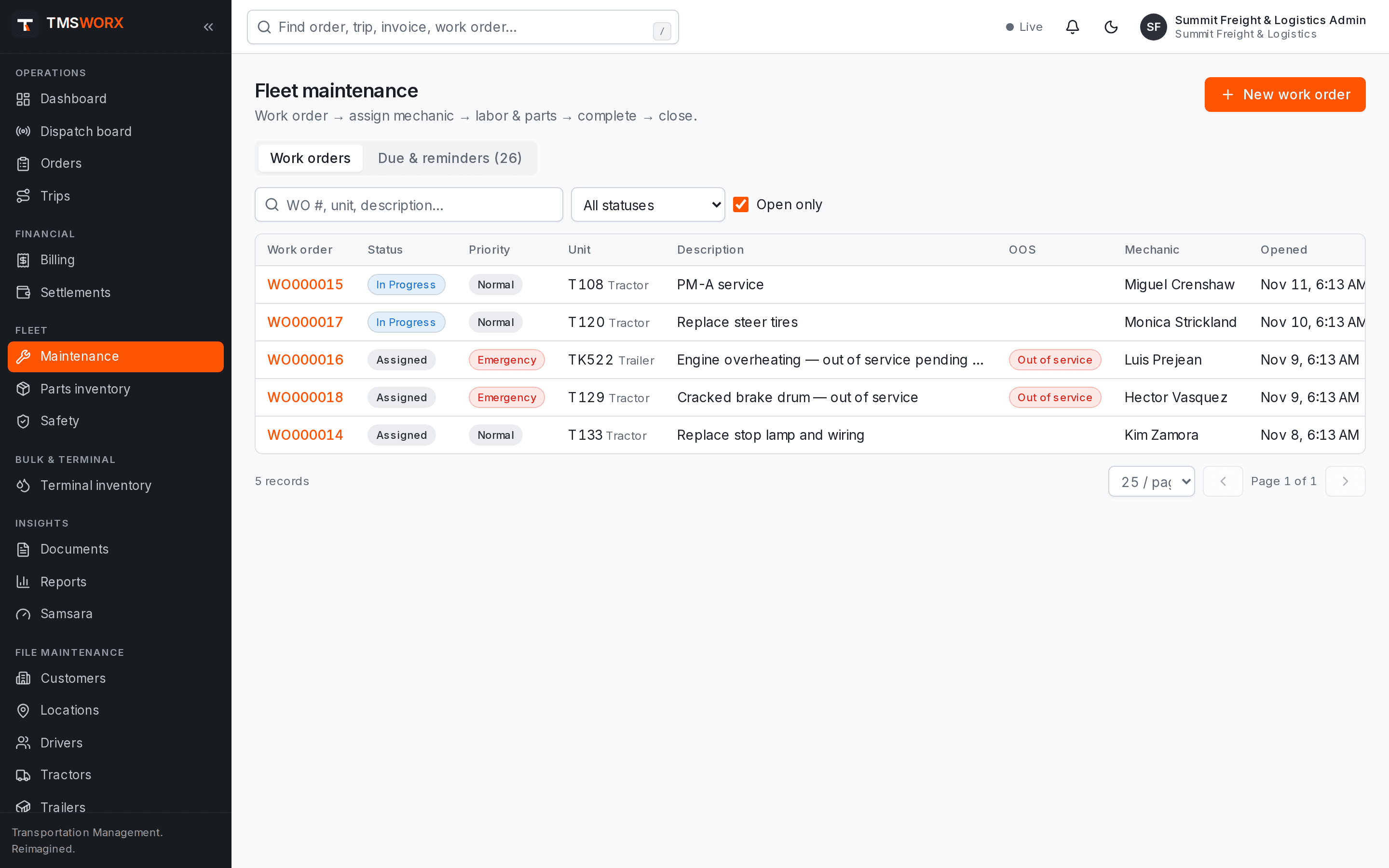
Actual application screenshots. Demonstration company, fictional data.
Included in Professional Cloud and above
01
Shop and dispatch in sync
Out-of-service work orders block dispatch automatically. Returning a unit to service makes it available again.
02
Preventive maintenance due lists
PM schedules by interval show what is due so service is planned rather than reactive.
03
True repair cost
Labor hours and parts issued from inventory roll up into each work order and the maintenance expense report.
Work orders from open to closed
Create work orders for repairs, preventive maintenance, inspections, tires, warranty and recalls. Assign a mechanic, record progress and close with notes.
- Open, assigned, in progress, waiting parts, completed, closed
- Priority from low to emergency
- Labor entries per mechanic
- Work order PDF
Parts inventory
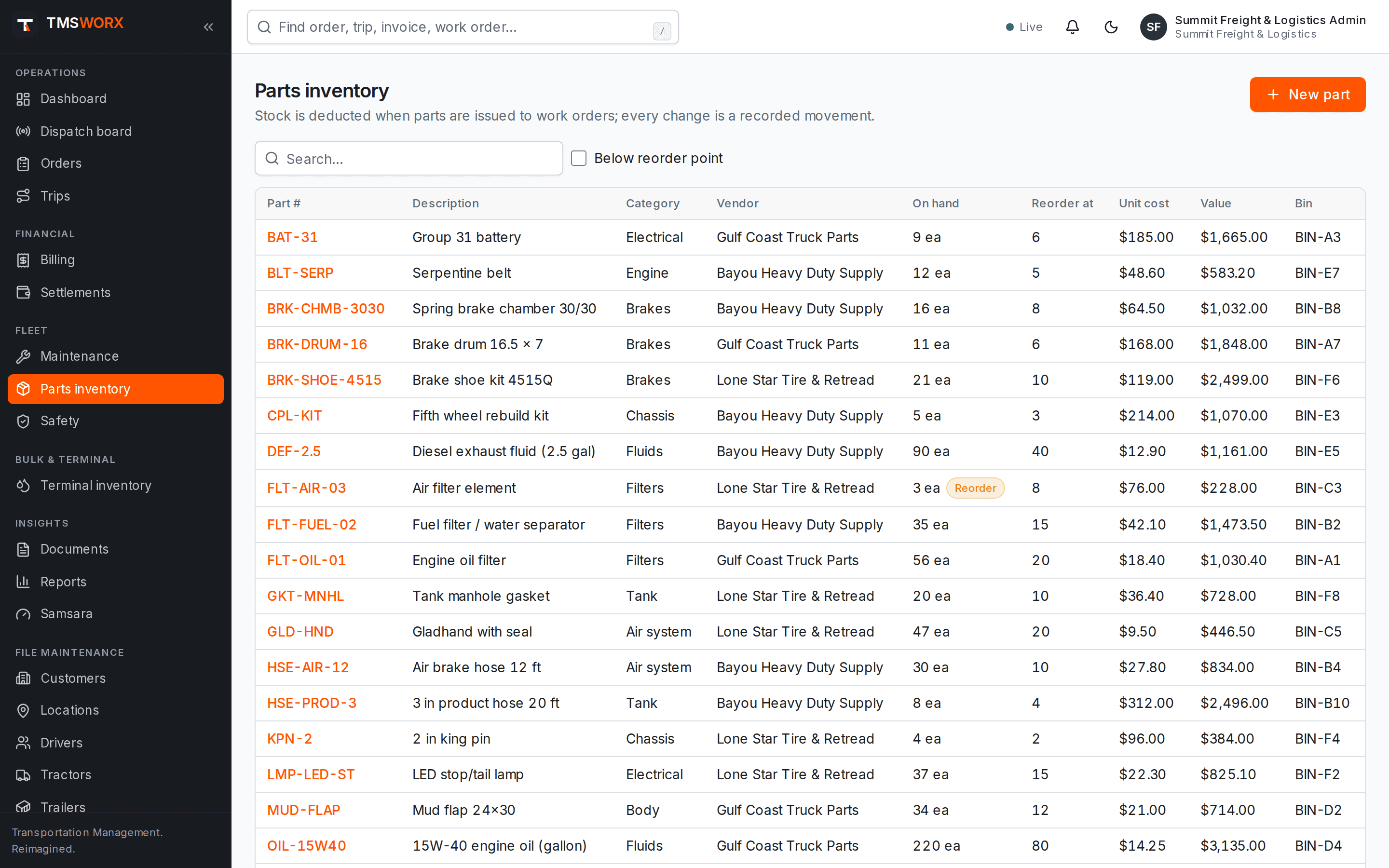
Keep parts on hand with reorder points. Receive stock, issue parts to work orders and adjust counts with a full movement history.
- Receipts, issues, adjustments and returns
- Reorder point visibility
- Part cost carried to the work order
- Concurrency-safe stock updates
- Receipts, issues, adjustments and returns
- Reorder point visibility
- Part cost carried to the work order
- Concurrency-safe stock updates
Equipment history
Every work order, inspection defect and service event is kept against the tractor or trailer.
- Maintenance history per unit
- Out-of-service and return-to-service actions
- Defects from inspections linked to work orders
- Maintenance history per unit
- Out-of-service and return-to-service actions
- Defects from inspections linked to work orders
Driver inspections
Drivers report pre-trip and post-trip defects on their own tractor or trailer from the driver portal. A defect marked unsafe to drive takes the unit out of service at once and tells dispatch.
- Pre-trip and post-trip reports
- Defects with severity
- Open defects shown to the next driver
- One-click work order from a defect
- Pre-trip and post-trip reports
- Defects with severity
- Open defects shown to the next driver
- One-click work order from a defect
PM programs, cost and downtime
Apply a preventive maintenance schedule to every unit of a type in one step, and see what maintenance costs and how long units were down.
- PM by days or miles for tractors and trailers
- Cost by unit, month, work order type and vendor
- Out-of-service hours per unit
- Cost per mile from completed trips
- PM by days or miles for tractors and trailers
- Cost by unit, month, work order type and vendor
- Out-of-service hours per unit
- Cost per mile from completed trips
How it flows
Fleet Maintenance in the life of a load
- 01
Defect or PM due
- 02
Work order opened
- 03
Unit out of service
- 04
Labor and parts recorded
- 05
Returned to service
- 06
Available to dispatch
Connected modules
Works with the rest of TMSWORX
Questions
Frequently asked
Can dispatch override an out-of-service defect?
No. A unit with an open out-of-service defect or out-of-service work order cannot be assigned, whatever its status says. The shop returns it to service after the repair.
Can mechanics use TMSWORX without seeing billing?
Yes. The Mechanic role sees maintenance work assigned to the shop and does not have access to billing or settlements.
Ready to modernize your transportation operation?
See TMSWORX with your own lanes, equipment and workflows in mind. We will walk through dispatch, billing and the modules that matter to your fleet.