Order management
Orders entered once, used everywhere after.
Capture the customer, stops, commodity, equipment requirements and charges in one place. The same order drives dispatch, documents, billing and reporting, so nobody re-keys it.
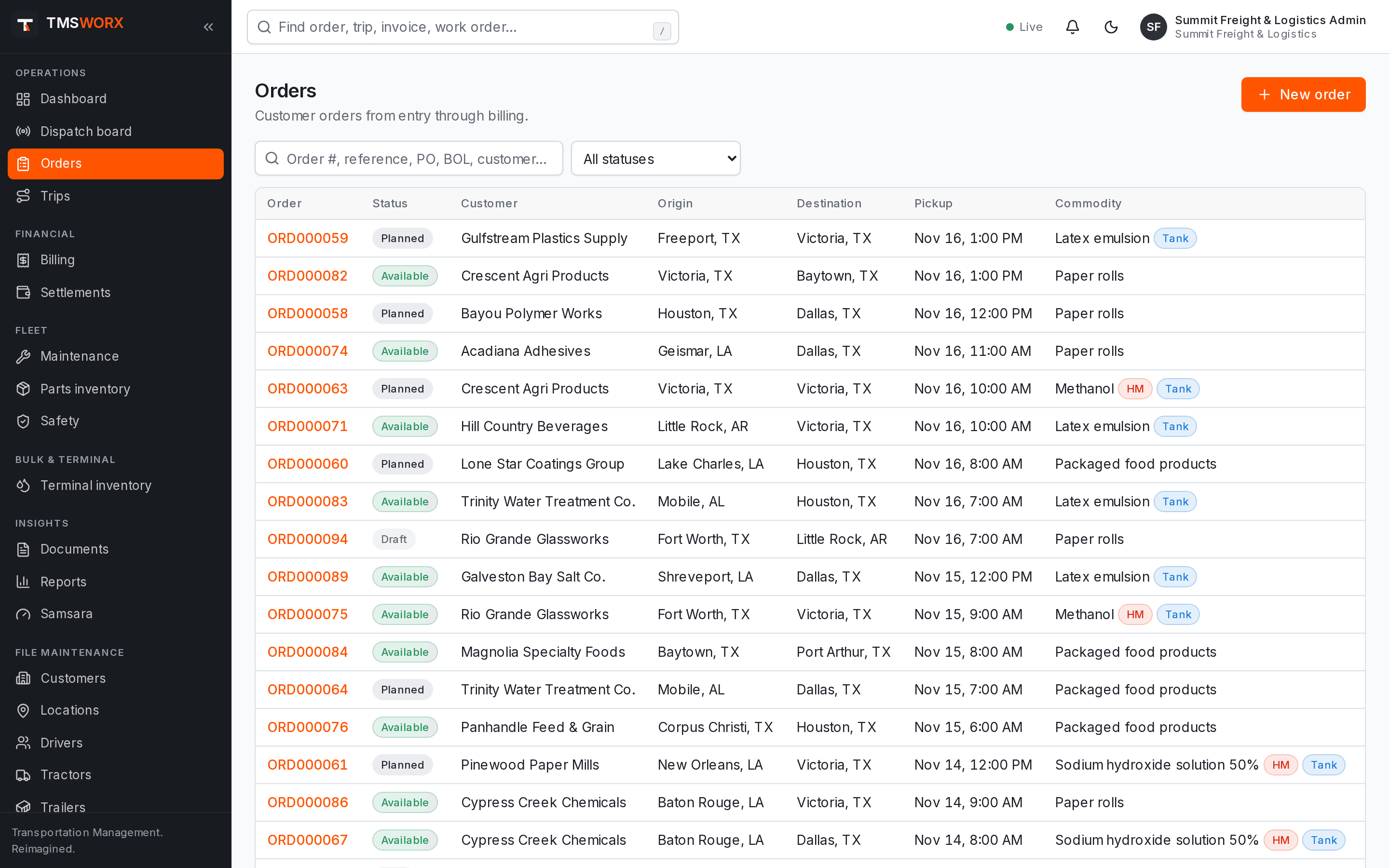
Actual application screenshots. Demonstration company, fictional data.
Included in every cloud plan
01
Complete orders
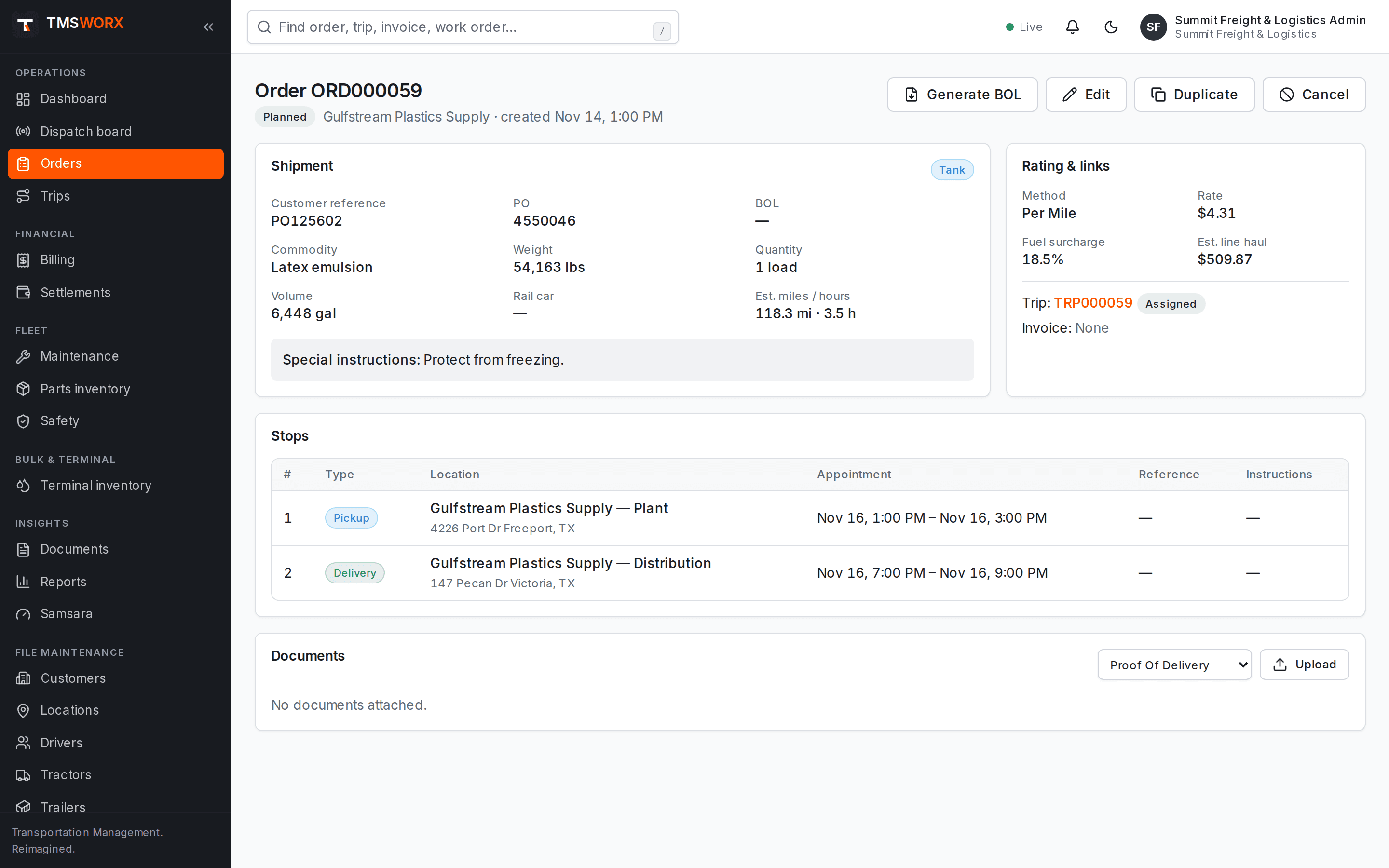
Pickup and delivery stops, appointments, commodity, weight and volume, and special requirements live together.
02
Consistent rating
Rate by flat amount, per mile, per hour, per hundredweight, per gallon or per ton, plus fuel surcharge and accessorials.
03
Clear status
Every order shows where it is: available, planned, dispatched, in progress, delivered, ready to bill or invoiced.
Fast, structured order entry
Pick the customer and locations from your master data, add stops in sequence and set appointment windows. Copy an existing order to repeat a regular lane.
- Multiple pickup and delivery stops
- Customer reference and PO numbers
- Copy order for recurring freight
- Search by order, customer or reference
Requirements that dispatch respects
Mark orders that need hazmat qualification, a tank trailer or a specific equipment type. Dispatch uses those flags when validating assignments.
- Hazmat and tanker requirements
- Required equipment type
- Commodity with UN number and hazard class
- Movement types including transload and terminal transfer
- Hazmat and tanker requirements
- Required equipment type
- Commodity with UN number and hazard class
- Movement types including transload and terminal transfer
Charges and paperwork
Line haul, fuel surcharge and accessorial charges are calculated on the order and carried into the invoice. Generate a bill of lading PDF directly from the order.
- Line haul, fuel surcharge and accessorials
- Bill of lading PDF generation
- Attached documents per order
- Full change history
- Line haul, fuel surcharge and accessorials
- Bill of lading PDF generation
- Attached documents per order
- Full change history
Customer portal
Give each customer a sign-in that shows only their own loads: stop times and status updates, the documents you approve for them, and issued invoices. Customers can request loads from their own locations; your dispatchers review every request before it becomes an order.
- Loads, stop times and updates
- Approved BOLs, PODs, COAs and scale tickets
- Issued invoices with PDFs
- Load requests reviewed by dispatch
- Loads, stop times and updates
- Approved BOLs, PODs, COAs and scale tickets
- Issued invoices with PDFs
- Load requests reviewed by dispatch
How it flows
Order Management in the life of a load
- 01
Customer order received
- 02
Stops and requirements entered
- 03
Rated
- 04
Released to dispatch
- 05
Delivered
- 06
Invoiced
Connected modules
Works with the rest of TMSWORX
Questions
Frequently asked
Which rate methods are supported?
Flat, per mile, per hour, per hundredweight, per gallon and per ton, plus fuel surcharge and accessorial charges.
Can we import existing customers and locations?
Master data import is part of onboarding. The setup fee covers configuring your company; data migration scope is agreed during the quote.
Ready to modernize your transportation operation?
See TMSWORX with your own lanes, equipment and workflows in mind. We will walk through dispatch, billing and the modules that matter to your fleet.